630 B
630 B
| layout |
|---|
| main |
Reading in RTL Languages
Librera can be adapted quite easily for reading texts in left-to-right languages, e.g., Arabic, Hebrew, Farsi, or Urdu. You just need to change the reading direction from its default LTR setting.
To change the reading direction to RTL:
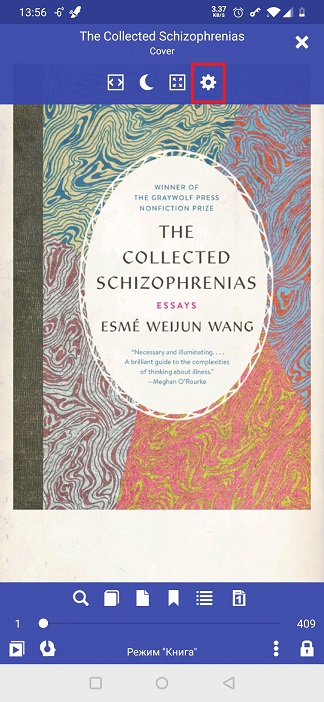
- Tap on the Settings icon to open the Preferences window
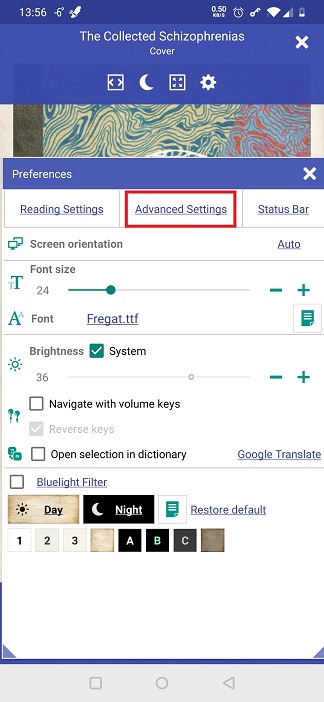
- Open the Advanced Settings tab
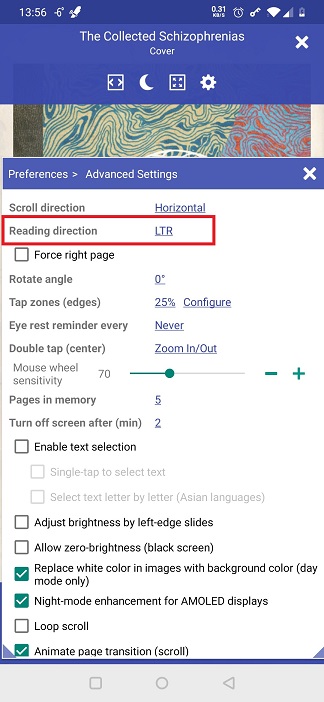
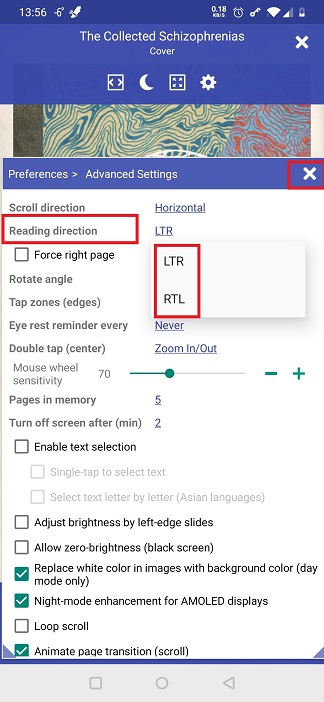
- Tap on the Reading direction link and select RTL
- To adjust two-page layouts for RTL reading, check the Force right page box
 |
 |
 |
 |
 |
 |