757 B
757 B
| layout |
|---|
| main |
How to Delete a Book from an External SD Card
For security reasons, the system won't allow users to delete files from external SD cards on Android 7+.
In Librera, you need to add your SD card as a resource (bookshelf) and then allow deletion.
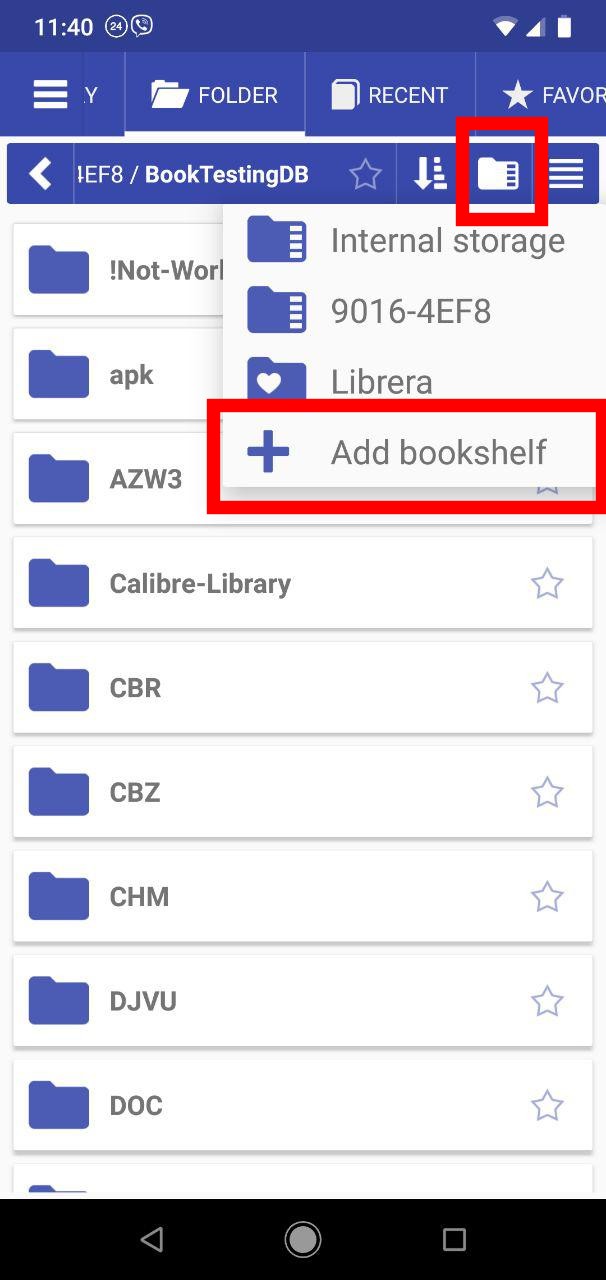
- In the Folder tab, tap on the file manager icon to open the dropdown resources list
- Tap + to add a bookshelf
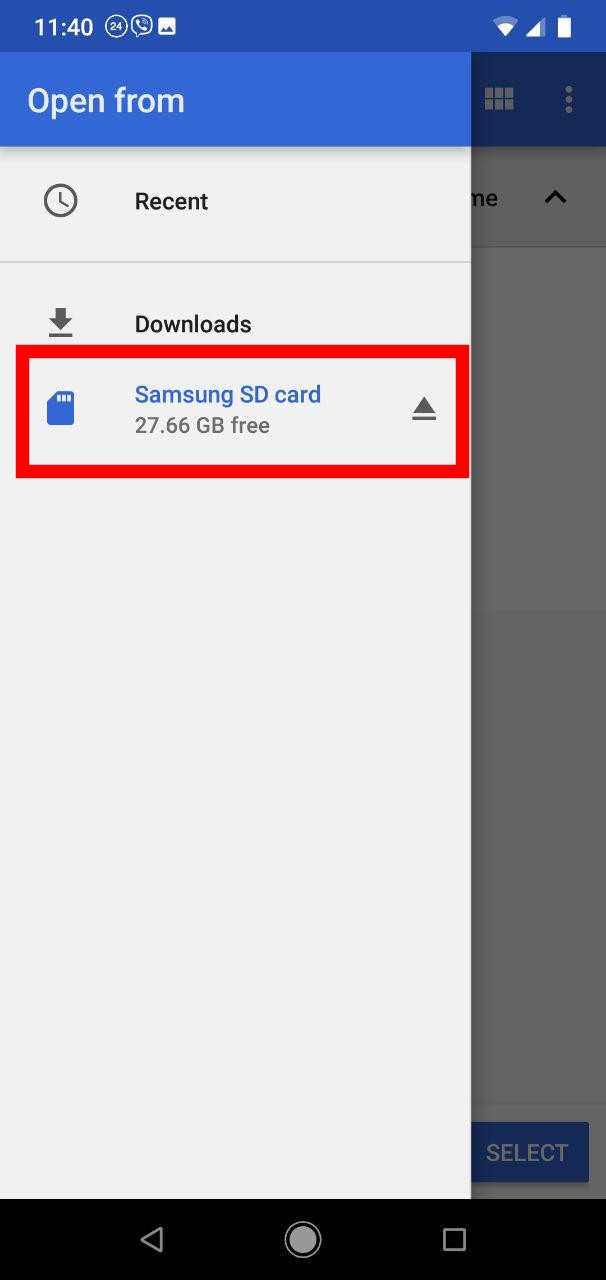
- Select your SD card
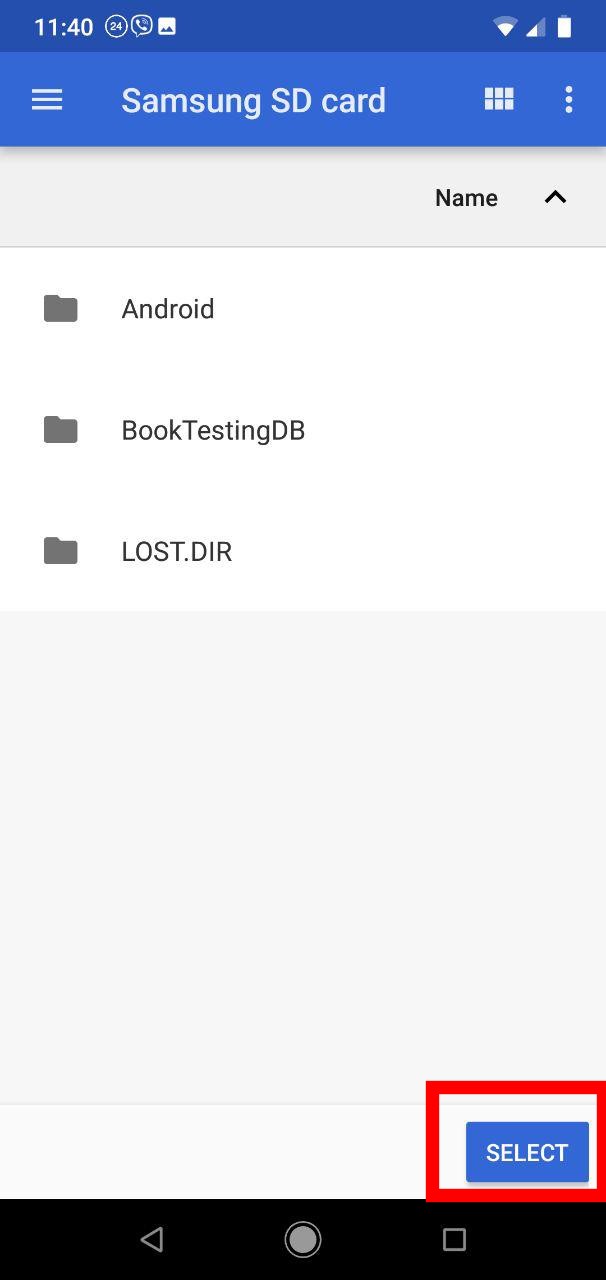
- Hit SELECT to allow deletion from the chosen location
 |
 |
 |
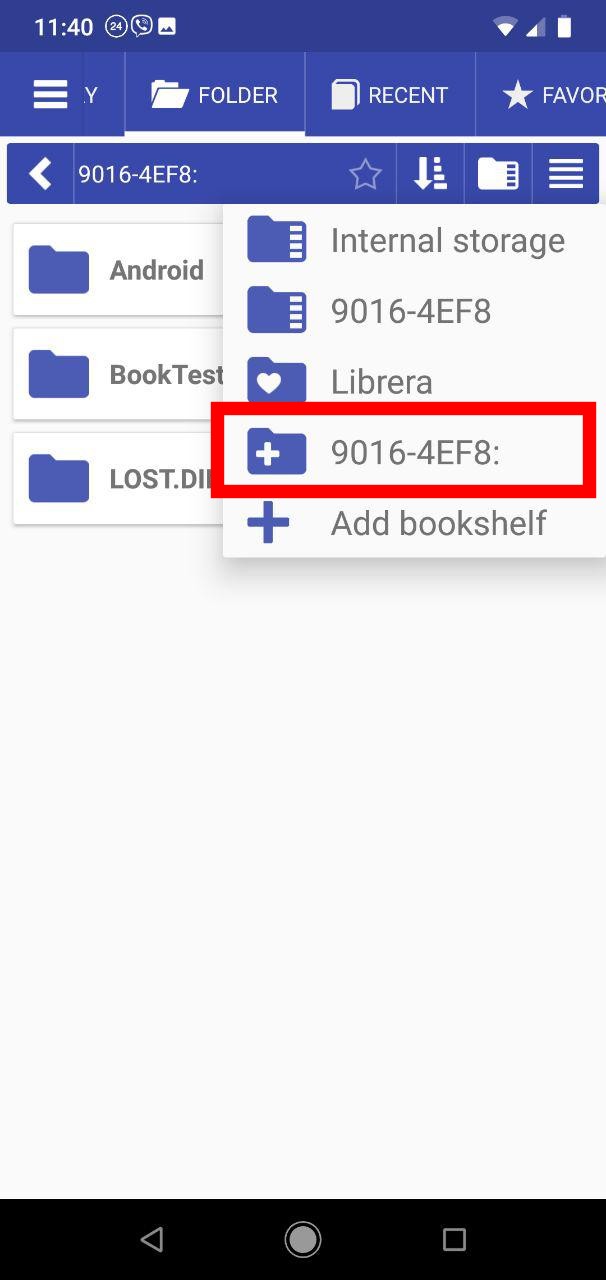
- Choose your SD card from the dropdown resources list
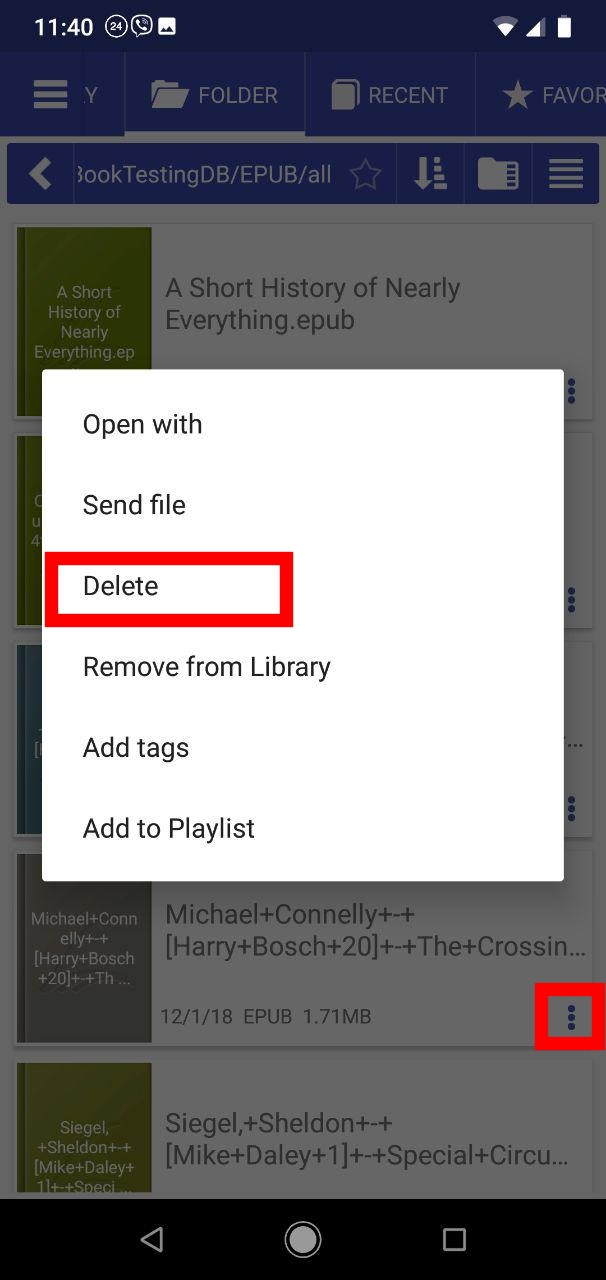
- Open the file menu of the book you intend to delete by tapping its triple-dot icon
- Hit Delete and confirm the operation
 |
 |
 |